
When to Use AI vs Studio Photography: A Practical Workflow for Product Brands
A hybrid AI and studio photography workflow allocates different content production tasks to each approach based on what each one reliably delivers. Studio photography handles foundational images where accuracy, material fidelity, and brand compliance are non-negotiable. AI tools handle content multiplication, format adaptation, and variation from those studio-produced sources. The two approaches are complementary, not [...]
July 3, 2026 • gradepixel
A hybrid AI and studio photography workflow allocates different content production tasks to each approach based on what each one reliably delivers. Studio photography handles foundational images where accuracy, material fidelity, and brand compliance are non-negotiable. AI tools handle content multiplication, format adaptation, and variation from those studio-produced sources. The two approaches are complementary, not competing — the quality of the studio image determines the quality ceiling for everything AI produces from it.
When brands start evaluating AI photography, they tend to ask the wrong question: should we switch to AI? The framing assumes it’s a choice between two competing approaches. It isn’t. AI tools and studio photography don’t occupy the same role in a visual content workflow — they do different jobs, at different quality levels, for different platforms and use cases. The right question is: which specific tasks in our content pipeline does each approach handle best?
Why the Either/Or Framing Leads to Poor Decisions
Brands that treat AI and studio photography as direct substitutes typically end up in one of two failure modes.
The first is over-relying on AI. Platform compliance problems emerge for main listing images, accuracy complaints appear in reviews, and return rates rise from buyers who receive a product that looks different from the AI-generated image. The cost savings on photography are eroded by these downstream effects — and in marketplace environments where review patterns affect algorithmic ranking, the long-term cost of inaccurate listing imagery compounds over time.
The second is over-relying on studio. The brand misses the efficiency gains that AI tools provide for content variation, format adaptation, and seasonal updates. A brand that re-books a studio shoot every time it needs a seasonal background update is spending significantly more than necessary, and moving more slowly than competitors who have built a hybrid workflow.
The resolution is not to pick a side but to map tasks correctly. AI photography tools excel at speed, variation, and content multiplication from an existing source image. Studio photography excels at accuracy, brand control, and producing the foundational images that everything else is built from. A well-designed hybrid workflow gives each one the tasks it’s actually suited for — and the result is both higher content quality and greater output efficiency than either approach alone.
The Foundation Rule: Studio First, AI to Multiply
The single most important principle in any hybrid photography workflow: AI content is only as good as the source image it starts from.
Background replacement, lifestyle environment generation, and AI-assisted retouching all produce significantly better results when they begin from a real, accurately photographed product image — not from a product render, a 3D model, or another AI-generated image. When AI works from an inaccurate source, it generates a plausible variation of that inaccuracy. Each generation step compounds the distance from the actual physical product, producing images that look increasingly artificial when compared against the product a buyer receives.
The practical consequence: the studio shoot is not the cost to minimise in a hybrid workflow. It is the investment that determines the quality ceiling of everything produced downstream. A well-produced studio image set generates more value from AI tools than a low-quality source image — because every AI-generated variation inherits the accuracy and brand fidelity of the original. Investing in the foundation is what makes the AI layer work.
Tasks That Always Require a Studio Shoot
Some content requirements cannot be reliably delegated to AI, regardless of the quality of the prompt or the sophistication of the tool.
Main listing images are the clearest case. Shopee, Lazada, and Amazon all require that the primary listing image accurately represents the physical product. An AI-generated main listing image — even one that passes initial upload — creates the review patterns that suppress marketplace ranking over time: buyers receive a product that looks different from what was shown, and their feedback reflects that. Platform compliance for the primary listing slot is a studio-photography requirement.
New product launches have no alternative. The first time a product is photographed, there is no source image for AI to work from. A studio shoot is the only way to produce an accurate foundational image of a new product. Everything produced subsequently — AI variations, format adaptations, seasonal updates — starts from this foundational set. The quality of every downstream asset is determined here.
Brand campaign hero images require specific creative direction: a mood, a visual language, a relationship between the product and its environment that reflects the brand’s identity at a specific moment. This cannot be reliably produced through AI prompt engineering. It requires a photographer and art director who understand the brief, can respond to what’s happening on set, and can make real-time decisions that a prompt cannot anticipate.
Premium and texture-sensitive products — luxury packaging, fine leather, skincare with a specific finish, jewellery, premium fabrics — need to be photographed with the lighting and technique that accurately reveals material quality. AI tools approximate texture; they do not replicate it. For products where material quality is the primary purchase driver, AI-generated imagery produces images that look almost right but not quite — and buyers in these categories notice.
Colour-critical product categories follow the same logic. Beauty and skincare, fashion, paint and home furnishings — categories where buyers make decisions based on the specific colour they see in the listing image. Colour drift from AI generation leads directly to returns. A studio shoot with calibrated colour verification is the only way to guarantee colour accuracy in the primary listing image.
Where AI Tools Add Genuine Value in Your Content Pipeline
The tasks where AI genuinely improves content production efficiency are those that build on an existing accurate source image rather than creating one from scratch.
Background variations from studio images are the most straightforward application. A studio hero shot on white can be placed into multiple lifestyle environments using AI — a kitchen counter, a gym bag, an outdoor setting — without rebooking a studio shoot. The product accuracy is preserved from the original; only the context changes. For a brand that needs the same product shown in five different lifestyle contexts, this is a legitimate efficiency gain that doesn’t compromise the underlying image quality.
Seasonal content updates are similarly suited to AI generation. Chinese New Year, Ramadan, Hari Raya, 11.11 sale season — seasonal campaign backgrounds can be generated from existing studio product images rather than requiring a dedicated seasonal shoot for every product in the range. The product image itself stays constant and accurate; the seasonal context is added through AI. This is the correct division of labour.
Platform format adaptations — converting a studio image from 3:2 landscape to 1:1 square for Shopee listing video, to 9:16 vertical for TikTok, and to 16:9 landscape for website banner use — are tasks AI format adaptation tools handle efficiently. The accuracy of the image is preserved; only the framing and canvas change. Doing this manually for every product across every platform is time-consuming; AI tools make it fast.
Secondary lifestyle images for marketplace listings are another valid use case. A full listing on Shopee or Lazada typically includes six to eight images. AI-generated lifestyle variations are appropriate for secondary slots — after a studio image has occupied the primary listing slot. They add context and variety without the cost of a full lifestyle shoot for every product in the range. For a brand with a large SKU count, this can be a significant production efficiency. For a detailed comparison of how AI and studio images compare across quality and commercial dimensions, our article on AI product photography covers the specific capabilities and limitations of current tools.
AI-assisted retouching in post-production is the most commercially established AI application in professional photography and is already standard practice in most serious studios. AI retouching tools within Adobe Photoshop and Lightroom accelerate background clean-up, colour correction, shadow creation, and spot removal — with a professional editor reviewing and directing the output. GradePixel’s post-production workflow incorporates AI-assisted retouching as standard. This is AI in its most useful role: accelerating skilled work, not replacing the judgement that directs it.
Tasks Where AI Quality Is Not Yet Reliable
Jewellery and fine accessories are the category where AI generation most consistently underperforms. Managing reflections on polished metal, capturing gemstone fire, rendering the intricate detail of clasps and settings — these require the precise lighting control and technical expertise that a studio environment provides. AI-generated jewellery imagery has a recognisable artificial quality that buyers in the premium accessories segment notice and distrust.
Transparent and reflective packaging presents similar challenges. Glass bottles, clear pouches, and reflective metallic packaging require controlled studio lighting that manages how reflections and refraction appear in a predictable and brand-consistent way. AI generation of these materials produces visible artefacts and surface rendering that reads as artificial at close inspection — which is how buyers on high-resolution listing pages view product images.
Premium fabric and leather accuracy is a third reliable failure point. The texture of cashmere, the grain of full-grain leather, the drape of silk — these properties communicate product quality in ways that matter to the buyers who are being asked to spend significant money based on what they see in a listing image. AI approximation of these textures is recognisably different from a studio image of the actual material, and in premium categories, that difference translates directly into purchase hesitation.
A Practical Five-Step Hybrid Workflow
This is the framework that makes the studio-first, AI-to-multiply principle operational for brands managing ongoing visual content production.
Step 1 — Studio shoot for the foundational image set
Every product needs: a white background hero shot, multi-angle views, and any detail shots required to communicate quality at the listing level. These are produced in a studio with controlled lighting, professional styling, and post-production to the required quality standard. This is the non-negotiable starting point — the investment that determines the quality of every downstream asset.
Step 2 — AI background generation for lifestyle variants
The studio hero shots become the source for AI-generated lifestyle environments: the product in a kitchen, on a gym bag, at a café table, in an outdoor setting. The source image accuracy ensures the product appears correctly in every generated variation. The lifestyle context is generated efficiently; the product fidelity is guaranteed by the studio original.
Step 3 — AI format adaptation for platform requirements
Export the studio and AI-generated images in the formats each platform requires: 1:1 square for Shopee and Lazada main listing, 9:16 vertical for TikTok and Instagram Reels, 16:9 landscape for website banners and Google Shopping. AI tools handle this adaptation from a single source file — a task that would otherwise require manual resizing and recomposing for every product across every platform.
Step 4 — AI-assisted post-production
Within the studio’s post-production workflow, AI retouching tools accelerate background clean-up, colour consistency across a batch, and detail retouching. The professional editor reviews and approves the output. For large-volume catalogue production — 50 or 100 SKUs — this step is what makes the economics viable without compromising the quality of the final images.
Step 5 — Seasonal and campaign updates via AI
When Chinese New Year, Ramadan, or a product campaign requires seasonal visual content, generate background and context variations from the existing studio image library. No re-shoot required. The existing accurate product images become the source for seasonal content multiplication — the studio investment from Step 1 continues to generate value across every seasonal update.
What an AI-Only Workflow Misses
An AI-only workflow skips Step 1. Without accurate studio source images, every AI-generated asset starts from an approximation — and the consequences compound across the product’s lifetime on a marketplace. Platform compliance for main listing images is at continuous risk. When press coverage, wholesale presentations, or B2B materials require accurate product images, there is no existing image library to draw from. Returns and review patterns from inaccurate imagery erode marketplace ranking over time. For a detailed cost and quality analysis of AI-only versus hybrid approaches, our article on AI vs traditional product photography covers the specific trade-offs across different brand scales and content volumes.
A hybrid workflow costs more at the start because Step 1 is a real investment. It costs significantly less when accuracy problems, platform compliance issues, and the commercial consequences of misleading imagery are accounted for across the product’s active listing period. The studio investment is not the cost to minimise — it’s the asset that makes everything else work.
Frequently Asked Questions About Hybrid AI and Studio Photography Workflows
Can I use AI photography without doing a studio shoot first?
Technically yes — AI tools can generate images from a product render or a text description. In practice, the quality and accuracy of what’s produced from these sources is not sufficient for main listing images, brand campaign content, or any application where material accuracy matters. For secondary social media content and internal testing, AI-only generation is usable. For ecommerce-compliant listing images and brand-representing content, a studio source image is the necessary starting point — not because of the AI tool’s limitations alone, but because the commercial stakes of inaccurate primary imagery are real and quantifiable.
Which tasks in the content workflow are most suited to AI?
Background variation, seasonal context generation, platform format adaptation, secondary lifestyle images for listing slots 2 through 8, and AI-assisted post-production retouching within a supervised workflow. These are all tasks that build from an existing accurate source and produce legitimate efficiency gains without compromising the quality of the primary listing image. Tasks that require new accurate product images — first-time product launches, colour-critical categories, premium materials — always require a studio shoot.
Which brands benefit most from a hybrid AI and studio approach?
Brands with a significant ecommerce presence requiring platform-compliant listing images, multiple content channels requiring different image formats and contexts, and ongoing seasonal or campaign content needs that would otherwise require repeated studio bookings. FMCG brands, beauty and skincare brands, fashion and accessories brands, and consumer electronics brands in Singapore typically meet all three criteria. The higher the SKU count and the more platforms the brand sells across, the greater the efficiency gain from a well-structured hybrid workflow.
How does GradePixel integrate AI tools into its post-production workflow?
GradePixel uses AI-assisted retouching tools within Adobe Photoshop and Lightroom as standard in our post-production workflow — accelerating background clean-up, batch colour consistency, shadow creation, and detail retouching, with professional editors reviewing and directing the output. For brands that want AI-generated lifestyle background variations from their studio image set, we can produce these from the foundational images as an additional service. The studio shoot and the AI layer are designed to work together, with the studio image quality determining what the AI generation can deliver.
Does using AI in post-production mean my images look artificial?
Not when AI is used correctly — as a tool that accelerates skilled professional work, not as a replacement for the judgement that directs it. AI retouching tools under professional supervision produce results that are indistinguishable from manual retouching, and in many cases more consistent across large batches. The risk of an artificial look comes from over-reliance on AI generation for the source image itself, or from AI tools used without professional review. In a supervised workflow, AI accelerates quality production rather than substituting for it.
Brands that build a deliberate hybrid workflow — studio quality for the foundational image set, AI tools for variation and scale — end up with both more content and better content than brands that treat the two as competing choices. GradePixel’s 3,200 sq ft studio in Singapore produces the foundational image quality that makes AI tools work as intended. Brands including L’Oréal, Sephora, and Nestlé use this hybrid approach to maintain visual consistency at scale. Explore our product photography Singapore →
A title
Image Box text
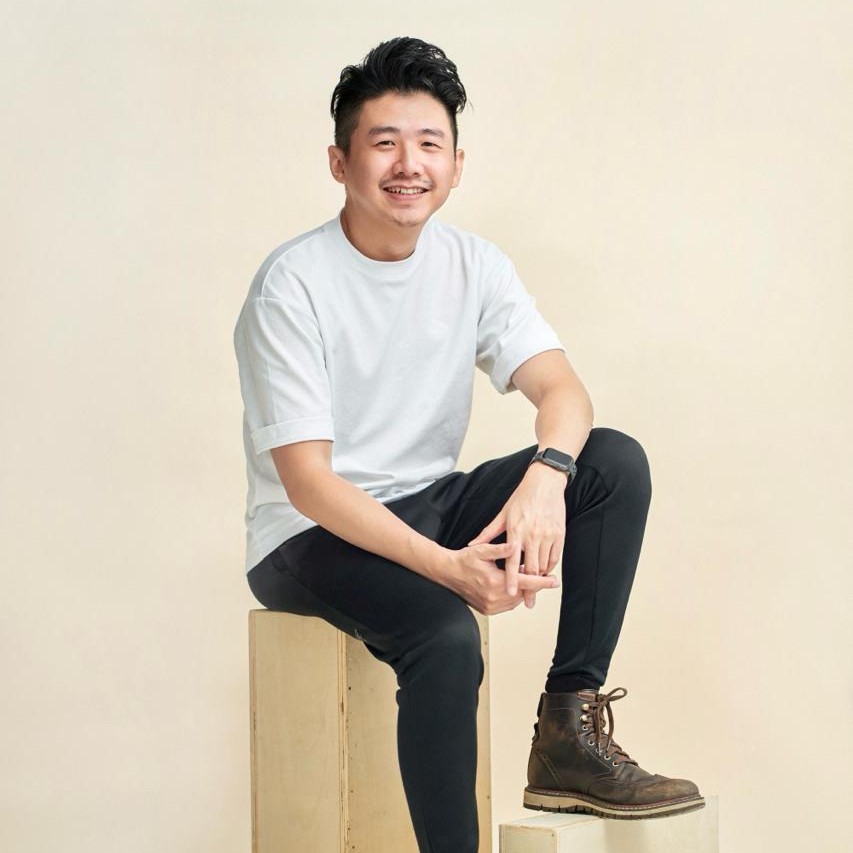
Sylvester Lim - Founder of GradePixel
I’m Sylvester, founder of GradePixel, a commercial photography and video production studio in Singapore with over 10 years of experience. I’ve worked with brands across product, food, fashion, and corporate sectors, helping businesses create clean, effective visuals that drive real results. My focus is always on practical, high-quality production that works for marketing.